I've talked some about the sweet support for node and PHP in Azure. You can also File | New | Node.js express application in WebMatrix, or run WordPress and get intellisense as well.
"I installed windows just so i can use PTVS" - Comment on Hacker News
But I'm consistently shocked that folks forget about Python at Microsoft. I am a C# person, myself, but the Developer Division at Microsoft loves their languages. C++, VB, C#, F#, etc and they aren't messing about when they get serious about a language.
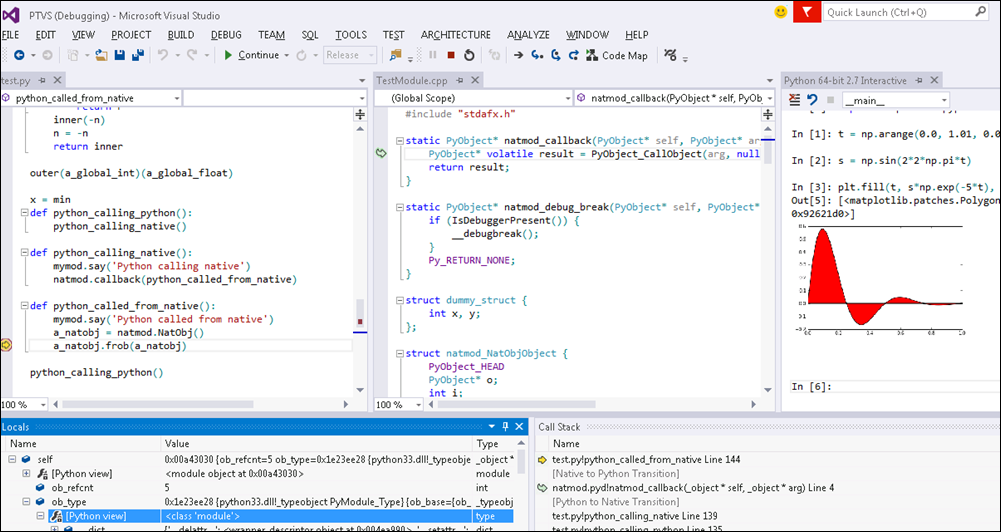
One of the least-known and most-kick-butt free products we have is PTVS - Python Tools for Visual Studio. Whether you're just interested in learning Python or you're a hardcore PhD who wants mixed-language Python and C++ debugging or somewhere in between, you gotta check this out. (Seriously, the mixed-mode debugging thing can't be overstressed...)
The Misconceptions
- Microsoft? Python? Oh, it must be all about IronPython, that's dead, right?
- IronPython is a community-run project and just put an 2.7.4 alpha out last month. PTVS fully supports IronPython, but the most advanced support is for standard CPython!
- PTVS needs VisualStudio? I don't have any money.
- PTVS, combined with the Integrated/isolated VS Shell is completely and perpetually free. And with the advent of VS2013, they've combined them into a single installer: https://pytools.codeplex.com/releases (at bottom of page).
This is Real
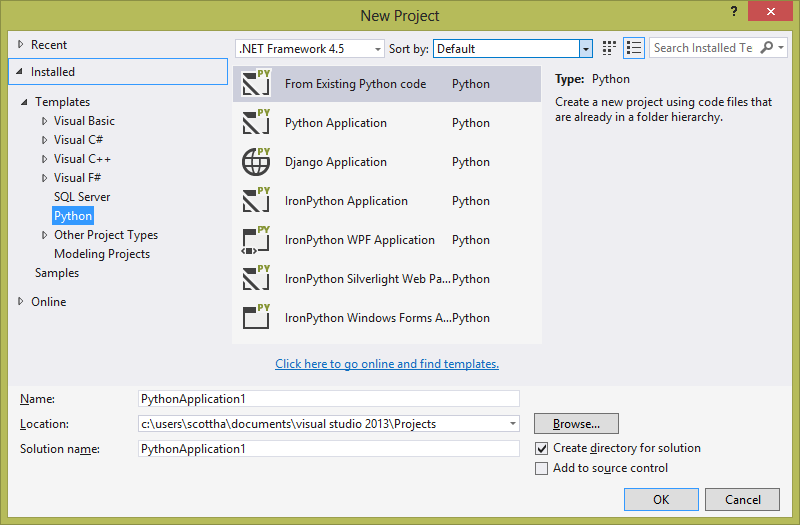
Here's my VS2013 after installing PyTools (PTVS). I've got IronPython which is Python running under the .NET CLR, but I've also got Django apps as well as a regular CPython or making a new project from existing code.
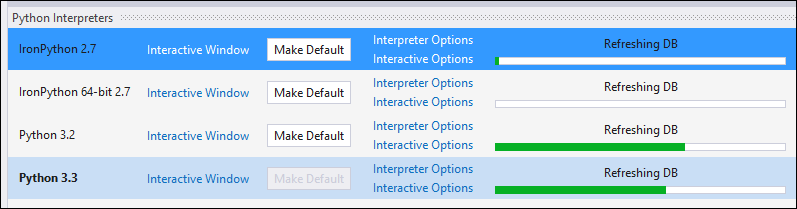
You can see that PTVS knows what Python engines I have installed, and I can easily switch between them. Here you can see that VS is refreshing the auto-completion (intellisense) databases for each version.
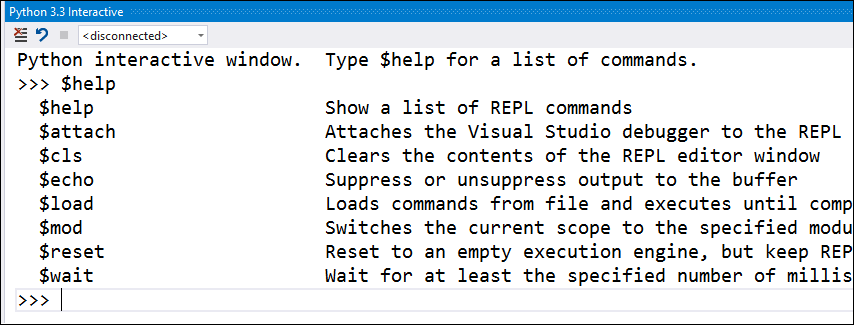
There's also a complete REPL inside Visual Studio for each:
Developing Django Apps in Visual Studio
Maybe you're a Django (one of Python's Web Frameworks) web developer, you can use VS to develop your app.
Go File New | Django App, then make a new Python Virtual Environment from the Solution Explorer, and watch Visual Studio freaking installed pip for you (the Python package manager). It's very seamless.
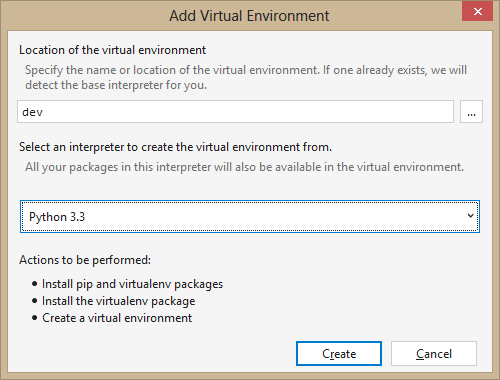
Which gives me this:
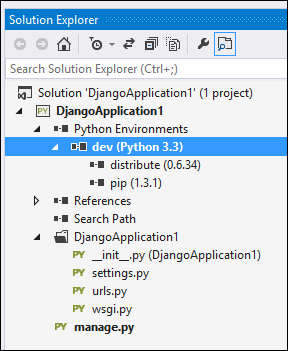
Then I right click on "dev" and just like NuGet (except this is Python, so pip) I install django:
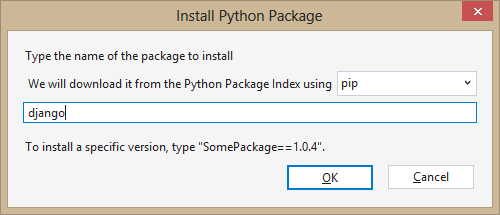
Django is massive, so this took a while, but still! And.....I've accomplished Hello World in Django. Well, Hello Django, at least, launched from Visual Studio.
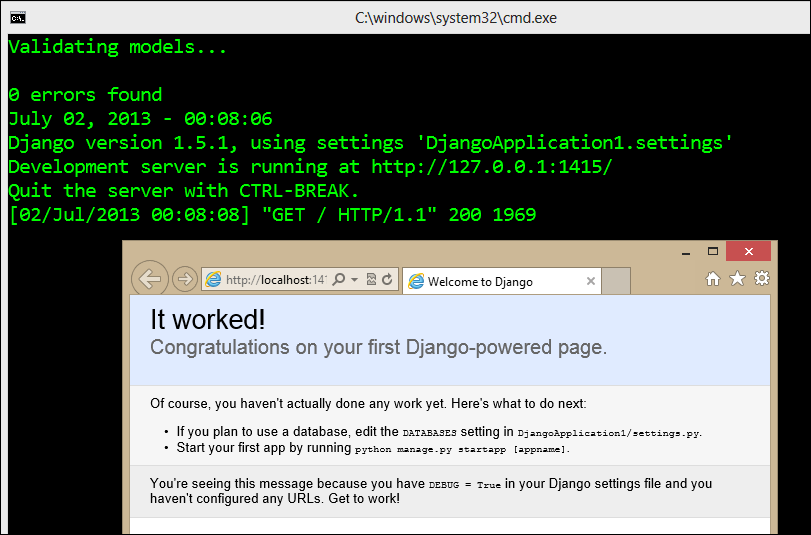
You should feel free to go and run through the whole Django Tutorial if you like and even deploy your app to Azure! You can host Django on a regular Azure Web Site, or a Virtual Machine if you want more control.
You can even interactively debug Python running in Azure on Linux from your Visual Studio instance! Check out Steve do just that at PyCon in this YouTube video.
There's a bunch of great educational and quick start Tutorials on the Python Tools YouTube Channel, they are a great resource to bookmark.
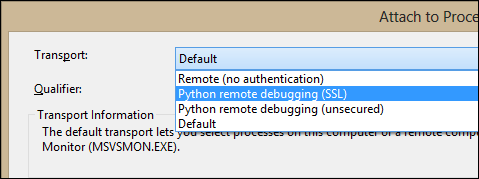
You can attach to remote Python processes over SSL and debug if you like.
It's Really Integrated
Let's get real here for a second. Lots of projects plug stuff into Visual Studio. You may have made it this far into the post and be saying "oh, wah wah, this thing sets up some batch files and some syntax highlighting and calls itself a full-featured Python IDE."
Um, no. This is the best of VS and the best of Python and I'm blown away. Check this out. PTVS knows that I'm doing unit testing here and they've integrated Python Unit Testing with the VS Unit Testing UI.
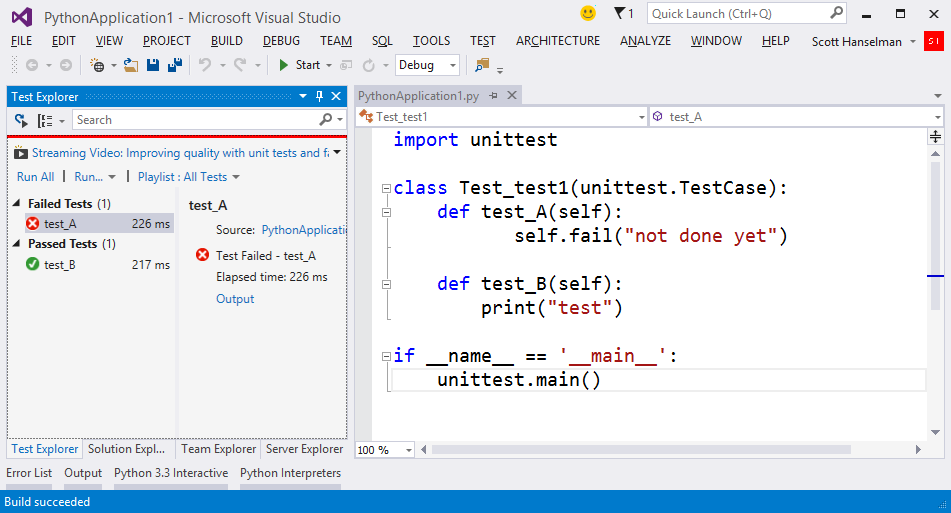
This is debugging, remote debugging, cross language debugging, tool tips, watches, locals, call stacks, unit testing, full REPL with inline graphics, profiling, cloud publish, best of class CPython support, and so much more.

If you're into Python or knows someone who is, for reals, drink it in and get on board at https://pytools.codeplex.com. Check out their samples. They've got Python talking to Kinect, Python talking to Excel and more. Their PTVS Documentation is really good as well.
Just getting started? Well, go Learn Python The Hard Way.
Installing PTVS
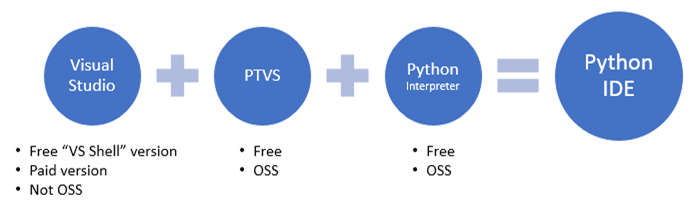
Here's the complete install instrucitons. You need VS, the PTVS, and some Python.
- If you have no Visual Studio installed, go get the FREE PTVS that includes the Visual Studio Shell. That's "PyToolsIntegrated" at the middle of this page. Then get a copy of Python.
- If you already have VS 2010, VS 2012, or VS 2013, go get PTVS for your version. The VS2013 version is the best and has a lot of fixed bugs. I installed PTVS along with Python 3.3 for Windows.
Finally, explore the Resources and Docs for Python Tools for Visual Studio, including, but not limited to Editing, Refactoring, Unit Tests, Django, IPython notebook and Azure cloud computing, Kinect for Python and Pyvot - an Excel to Python bridge.
© 2013 Scott Hanselman. All rights reserved.


